.png)
Student MIMS
Find out how to log in, manage your account, and reset your password for Student MIMS, the system used to access MOE apps and school devices.
Student MOE Identity Management System (MIMS)
Student MOE Identity Management System (MIMS) is a new system that allow students to access school SSOE devices and MOE applications such as Student Learning Space (SLS), Student iCON, SSPR, Media Resource Library (MRL), etc.
MIMS portal: https://idp.mims.moe.gov.sg/ (opens in new tab)
What is MIMS Login ID format?
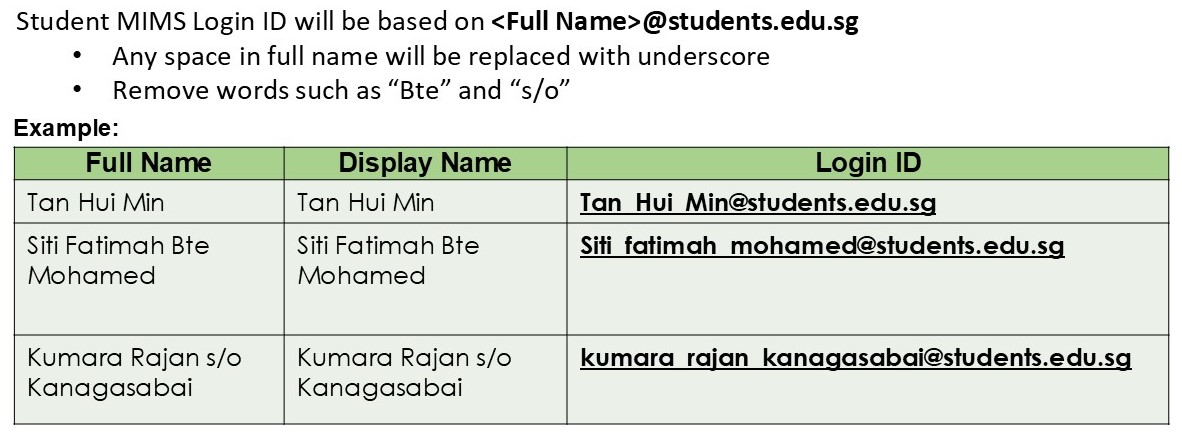
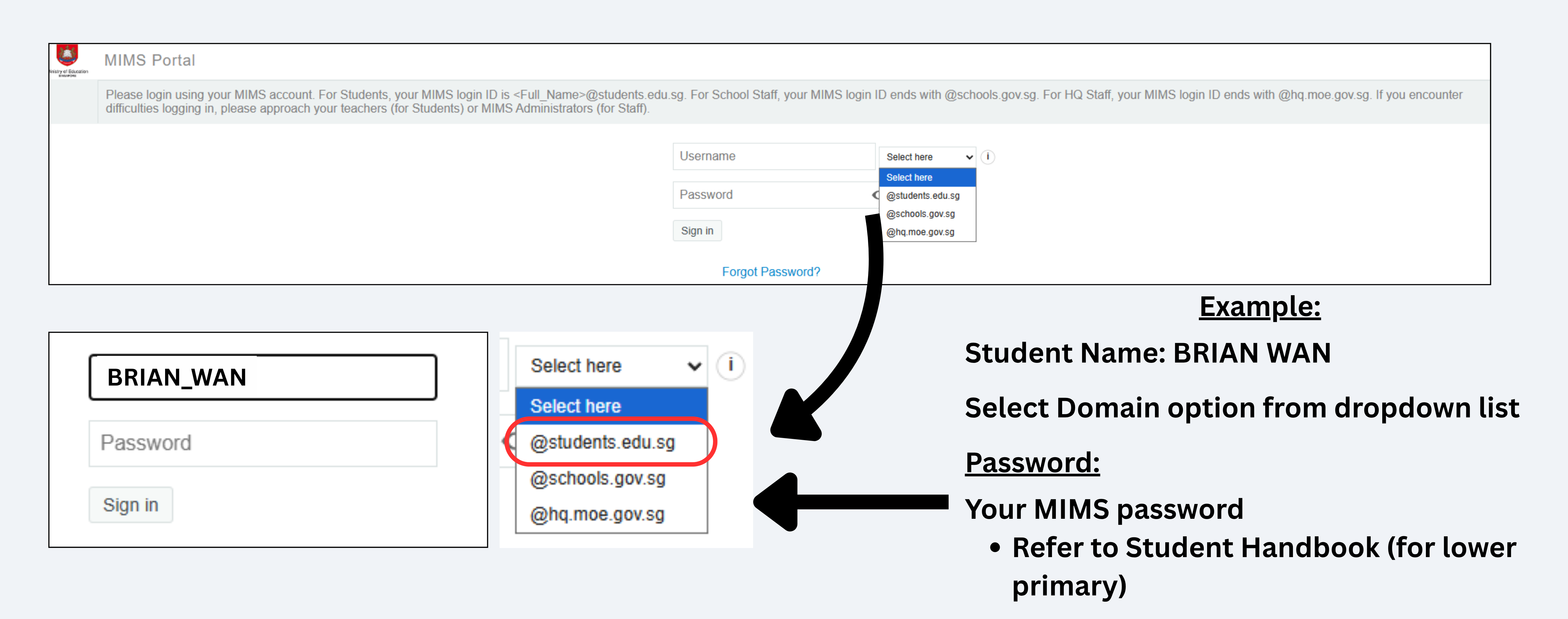
Enter your username and choose your domain option from dropdown list and MIMS password.
Managing MIMS Account
This is how students will manage their MIMS account.
Primary 2 & 3 - Since these students are still young, we have done a one-time set up of answers to challenge questions (printed in card form and attached to their student handbook).
Primary 4 to 6 - They will need to reset or change their answers & challenge questions. We believe Upper Primary students are capable enough to take responsibility and ownership of their MIMS account.
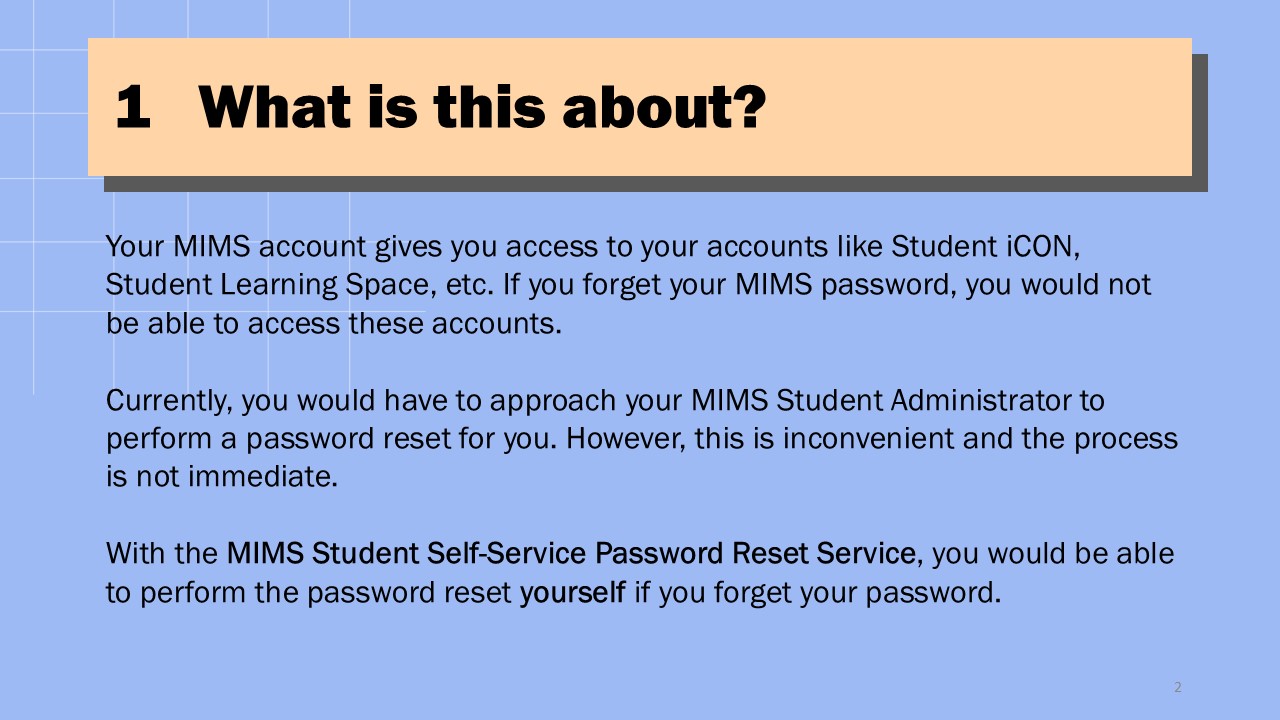
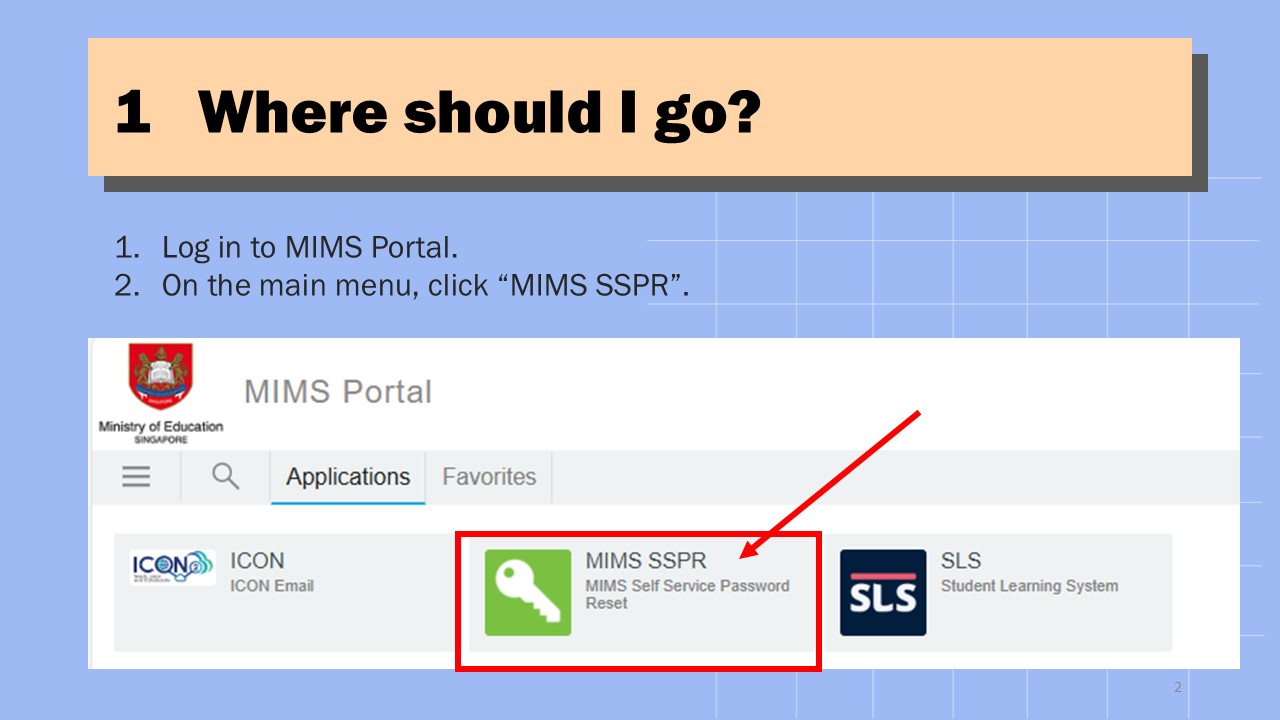
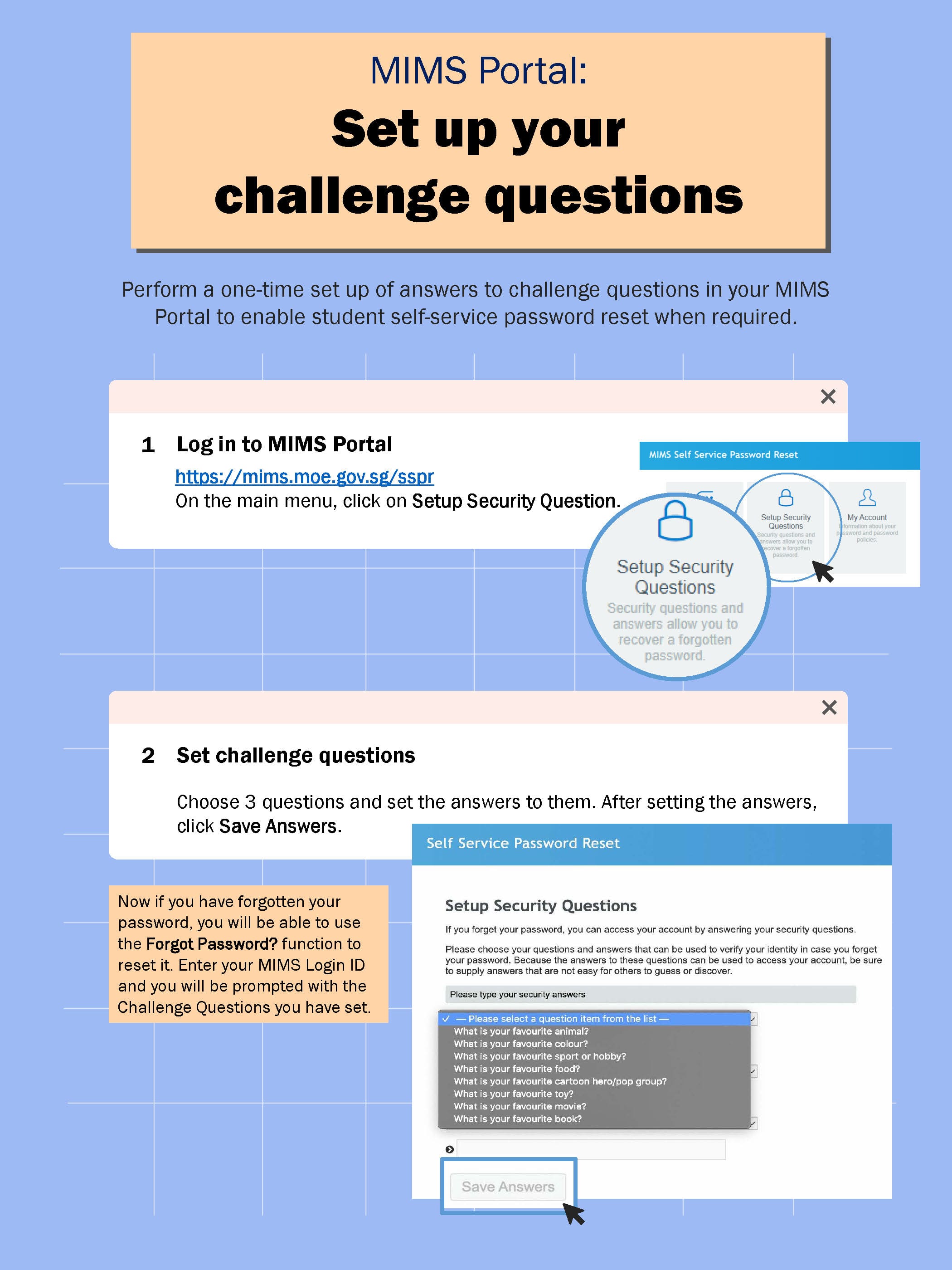
Student MIMS Challenge QnA Setup
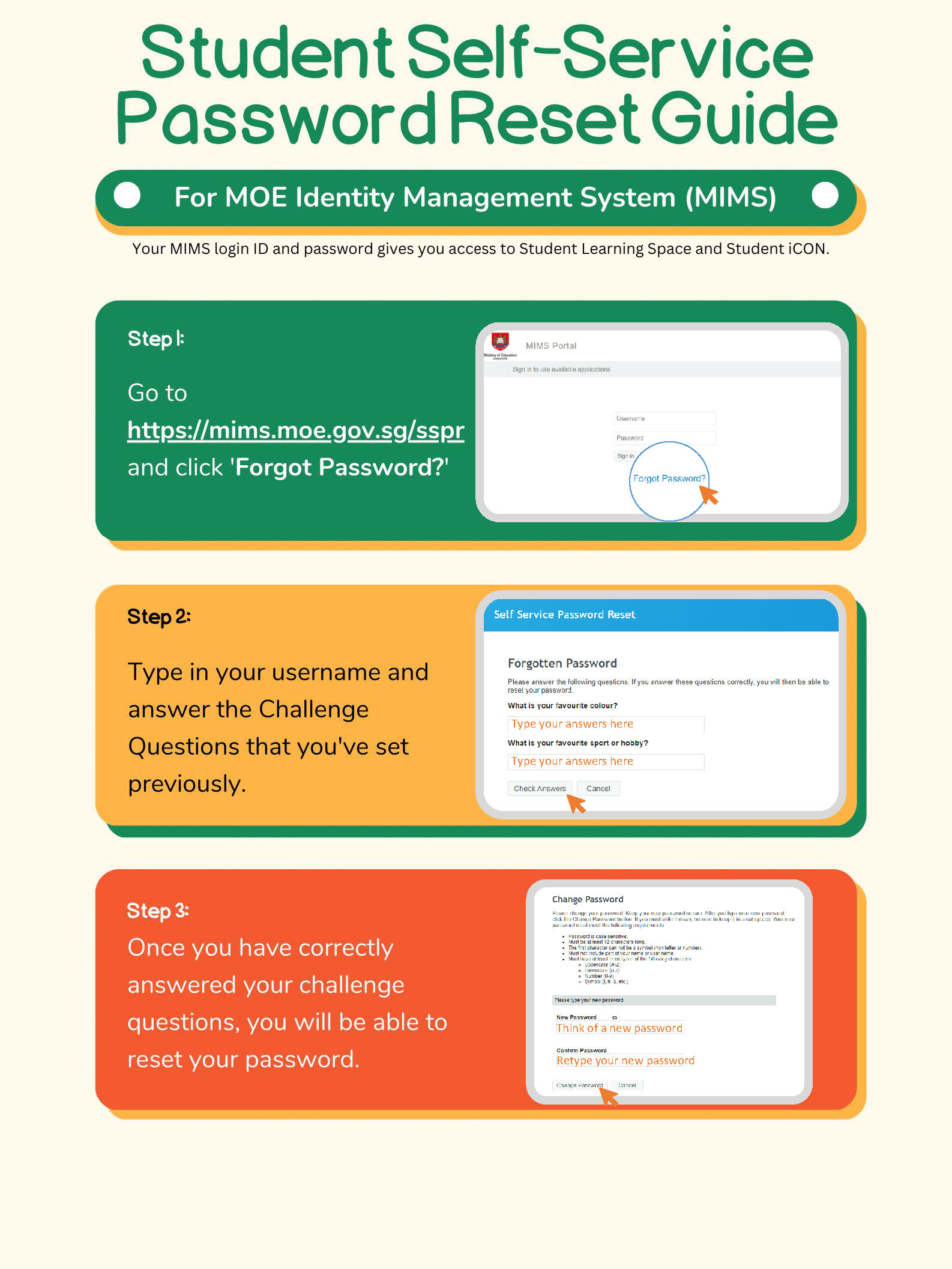
Student Self-Service Password Reset (SSPR)
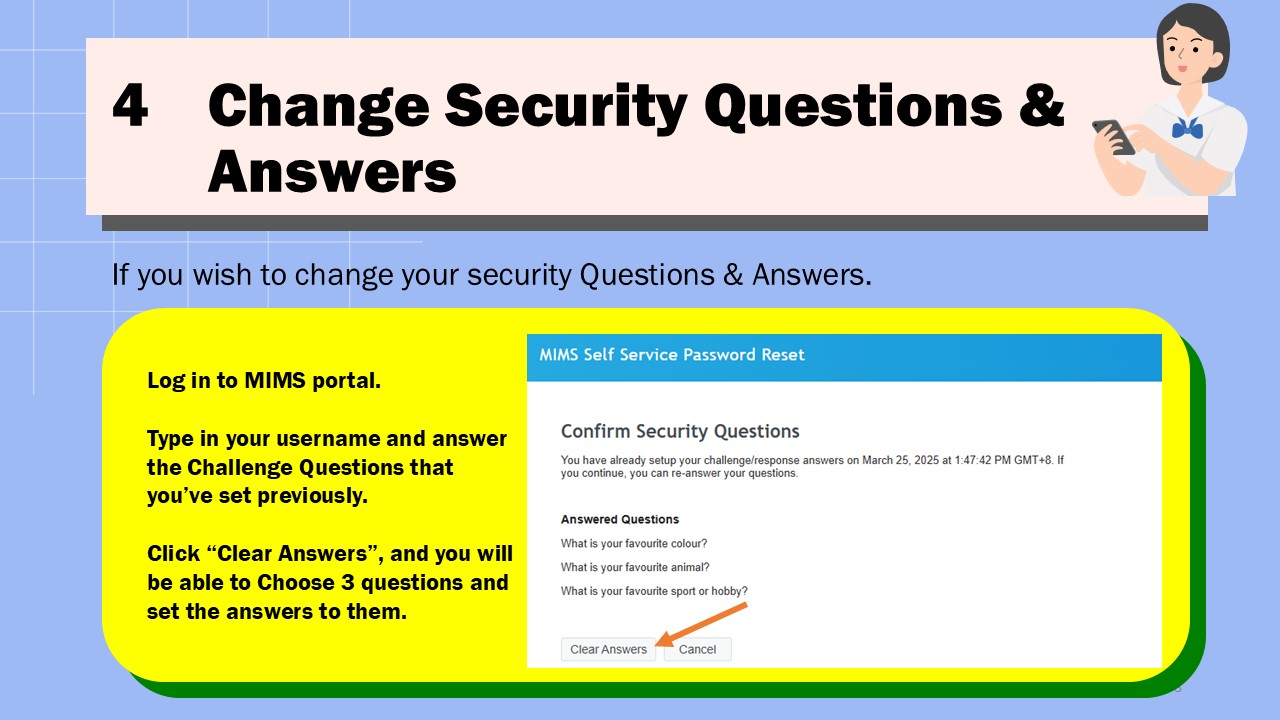
Changing MIMS Challenge QnA
Login Troubleshooting
If you are unable to perform Self-Service Password Reset (SSPR) as you have forgotten the answers to your MIMS security challenge questions or other reasons, please contact your child's Form Teacher or go to Student Password Reset Form (opens in new tab), to request password reset.
Important Information:
Please do take note, once ICT Dept performed a password reset, a default password will be given to the student and student MUST log in to MIMS portal with the default password and change his/her a new password.