.png)
Student iCON
Log in to Student iCON via the MIMS portal to access Google Workspace tools like Google Classroom and Drive, supporting your learning journey from primary school through to junior college.
Student iCON
Student iCON (Google Workspace, previously known as G-Suite), is the digital identity for supporting the personal learning device (PLD), Device Management Application (DMA) and Microsoft Proplus. It is an extension of iCON 2.0 and comprises a suite of Google apps including email and other app services such as Google Classroom and Docs.
Benefits
Facilitate collaboration, teaching and learning between teachers and students using apps such as Google Classroom, Drive.
Follow students throughout their learning journey from Primary School to Junior Colleges / Centralised Institutes.
What is Student iCON Login format?
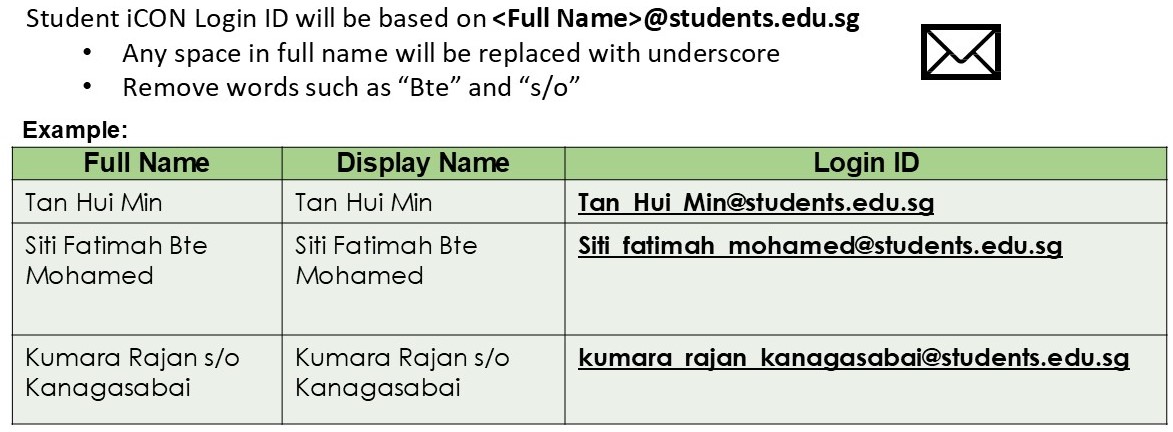
Login to Student iCON
From 13 Oct 2025 onwards, new login format has released. students will login to iCON via MIMS portal: https://idp.mims.moe.gov.sg/ (opens in new tab)
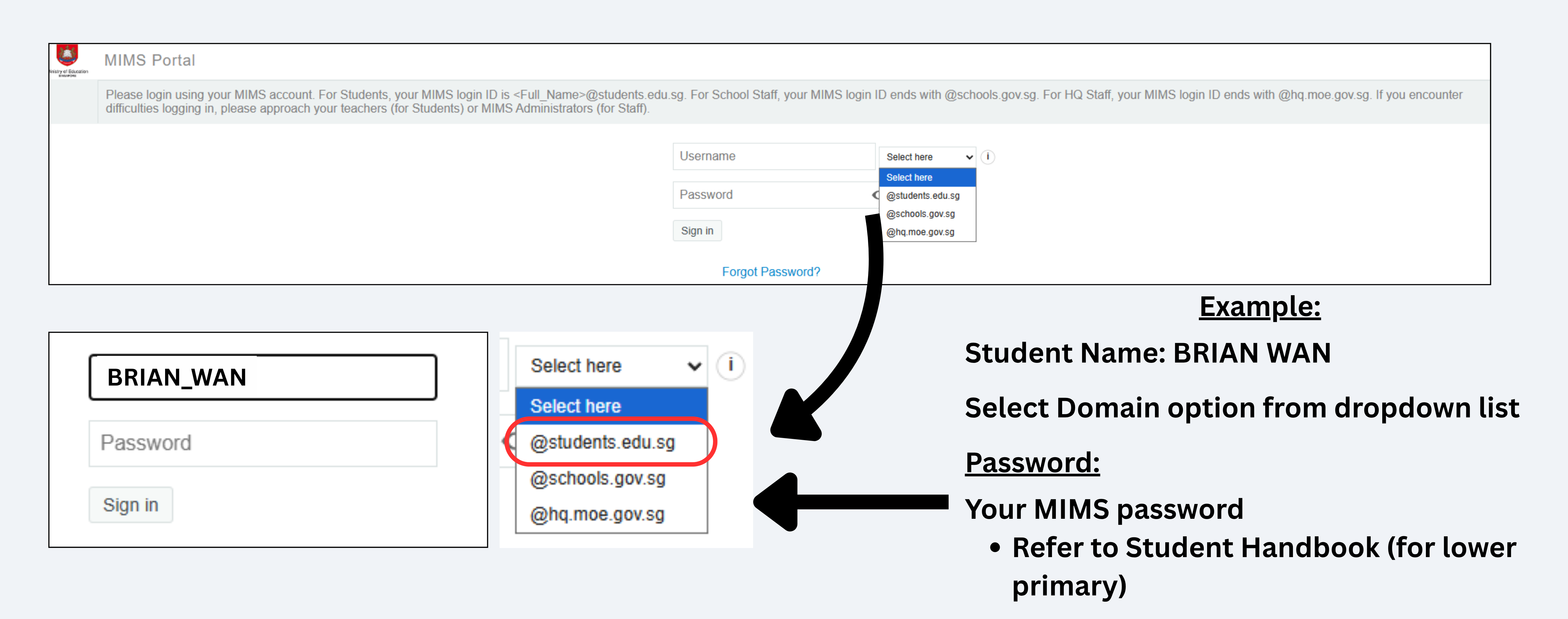
Enter your username and choose your domain option from dropdown list and MIMS password.
Students can still continue to log in using Google Workspace link: https://workspace.google.com/dashboard, (opens in new tab)and students will be redirected to the MIMS Portal to sign in.
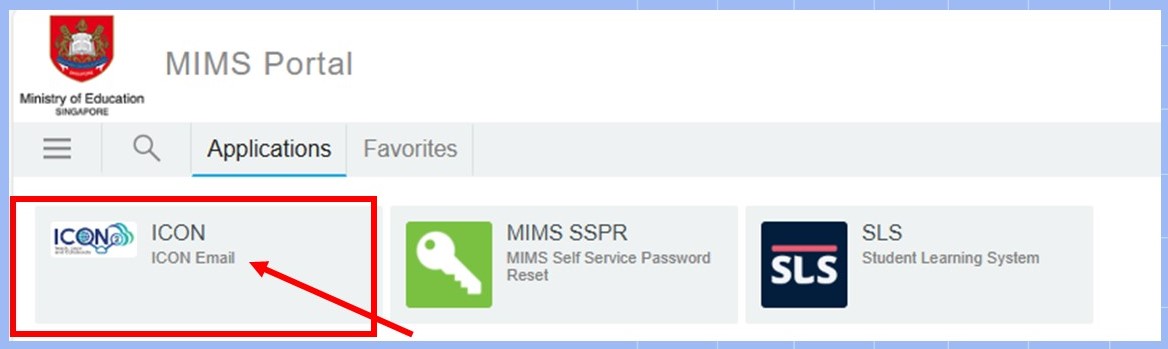
Applications on the Google Workspace Dashboard.
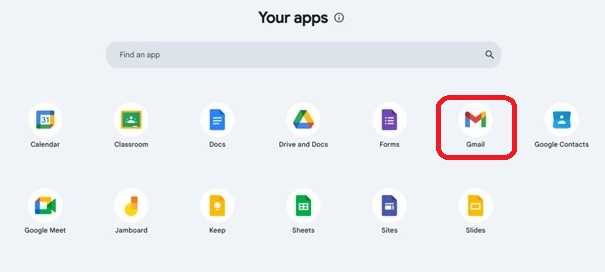
Note: App such as Gmail is not available for Primary 1 to 3 students.
Click on here (opens in new tab) to find out more on Google Classroom.
Login Troubleshooting
Prior to using this ‘Forgot Password?’ feature, you should have already set up your MIMS Challenge Questions. If you have not done so, please approach your form teacher for help.
Click ‘Forgot Password?’ to perform Self-Service Password Reset (SSPR)
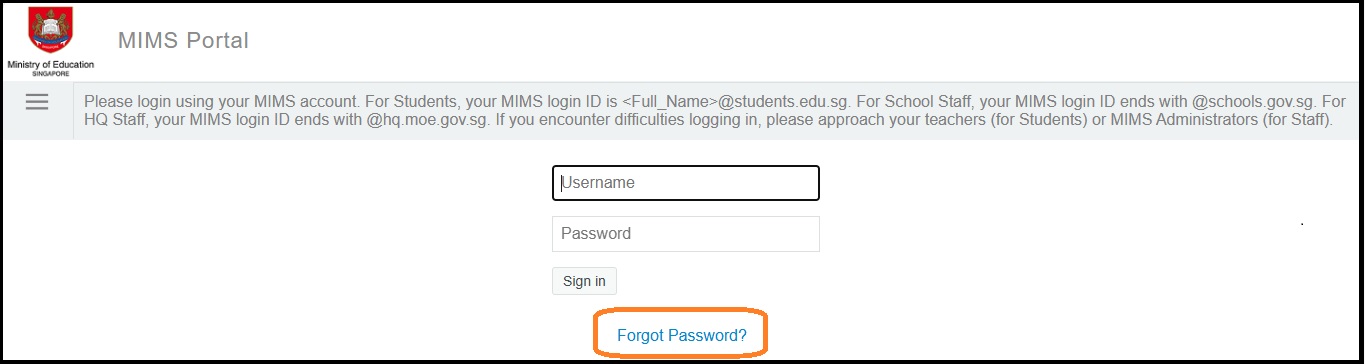
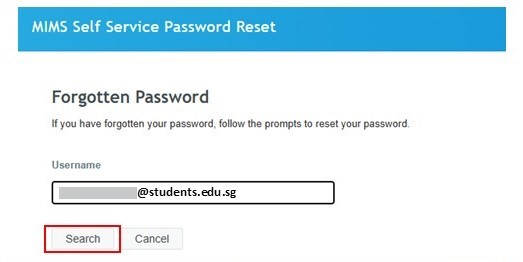
Enter your Student iCON email address. Click ‘Search’.
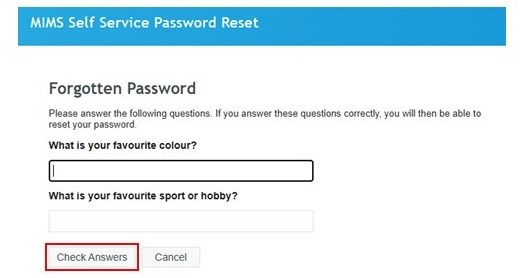
You will be prompted to answer two security questions that you have set earlier in order to perform a self-service password reset.
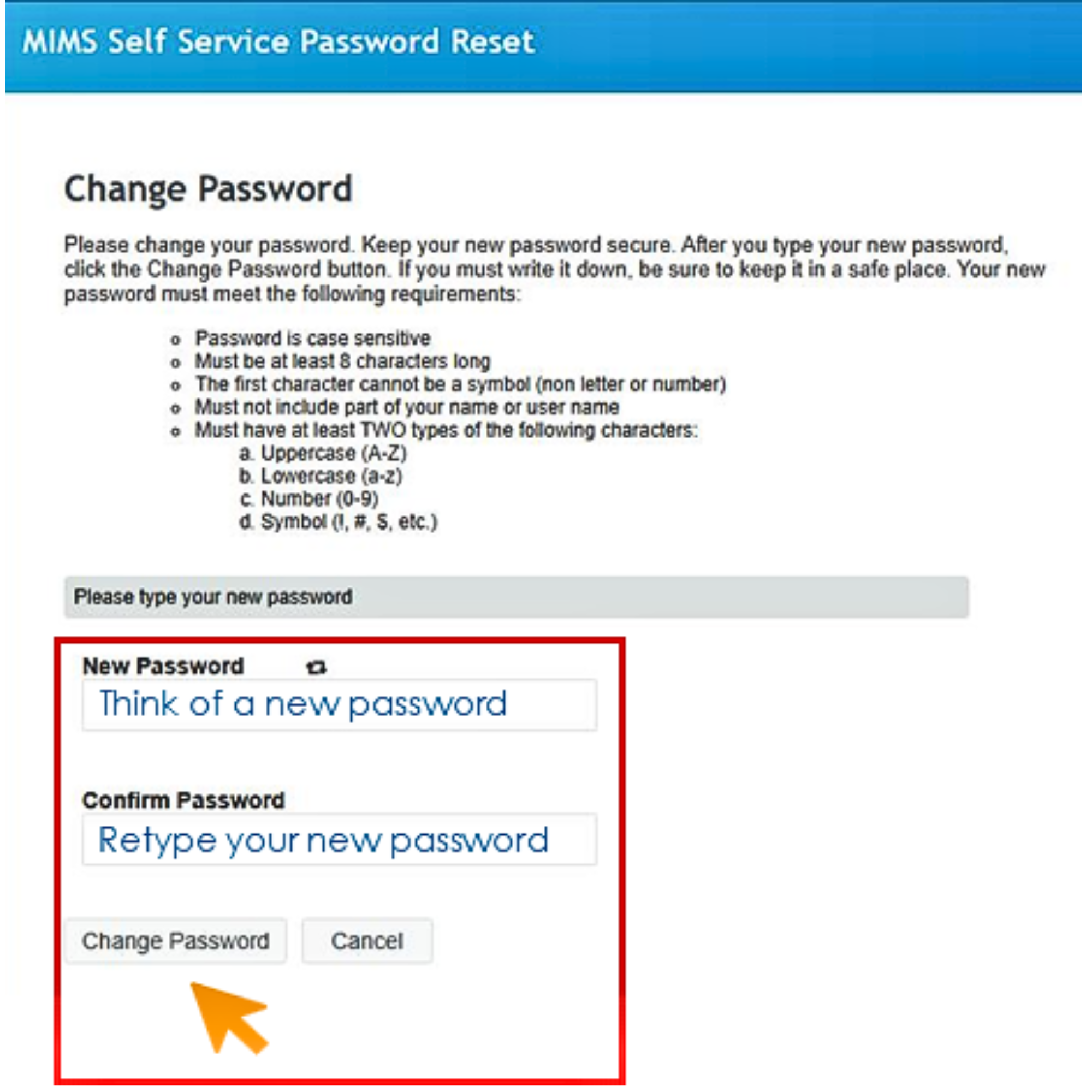
You will then be prompted to change your password. Enter and confirm your new password, following the password requirement guidelines on the screen.
Click ‘Change Password’.
For Account Lockout (due to multiple incorrect password entries)
If you have too many failed login attempts due to incorrect password, your account will be locked.
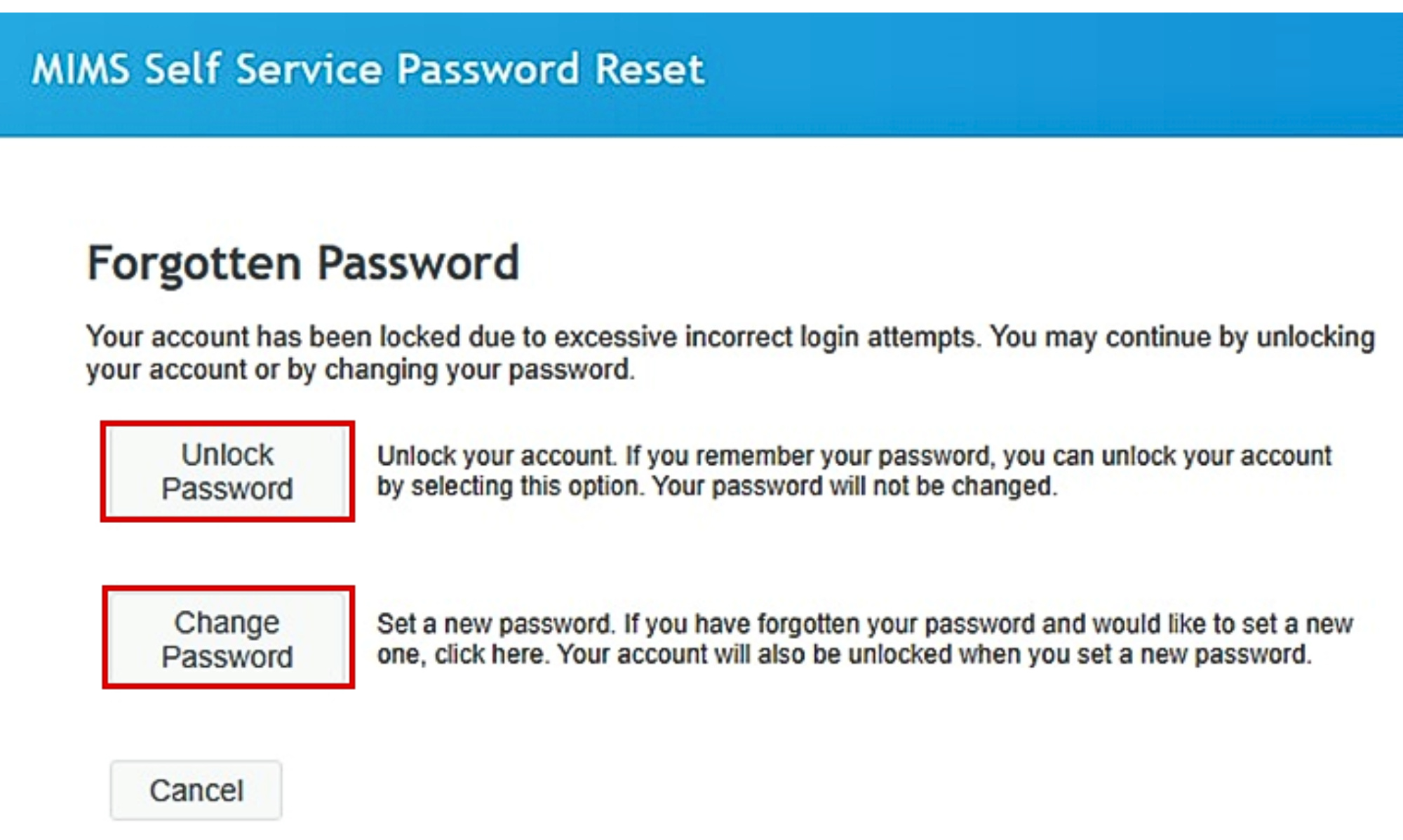
If you click on the ‘Forgot Password?’ feature and have answered your MIMS challenge questions correctly, you will see this screen.
Click on ‘Unlock Password’ to access your account with your existing password.
If you are unable to remember your password, you may set a new password by clicking on ‘Change Password’
If you have forgotten the answers to your MIMS security challenge questions or other reasons, please contact your child's Form Teacher or go to Student Password Reset Form (opens in new tab), to request password reset.
Important Information:
Please do take note, once ICT Dept performed a password reset, a default password will be given to the student and student MUST log in to MIMS portal with the default password and change his/her a new password.
Please wait for 30mins to allow sync to happen and student may try again to login to iCON.
Which Operating System or browser should my students use?
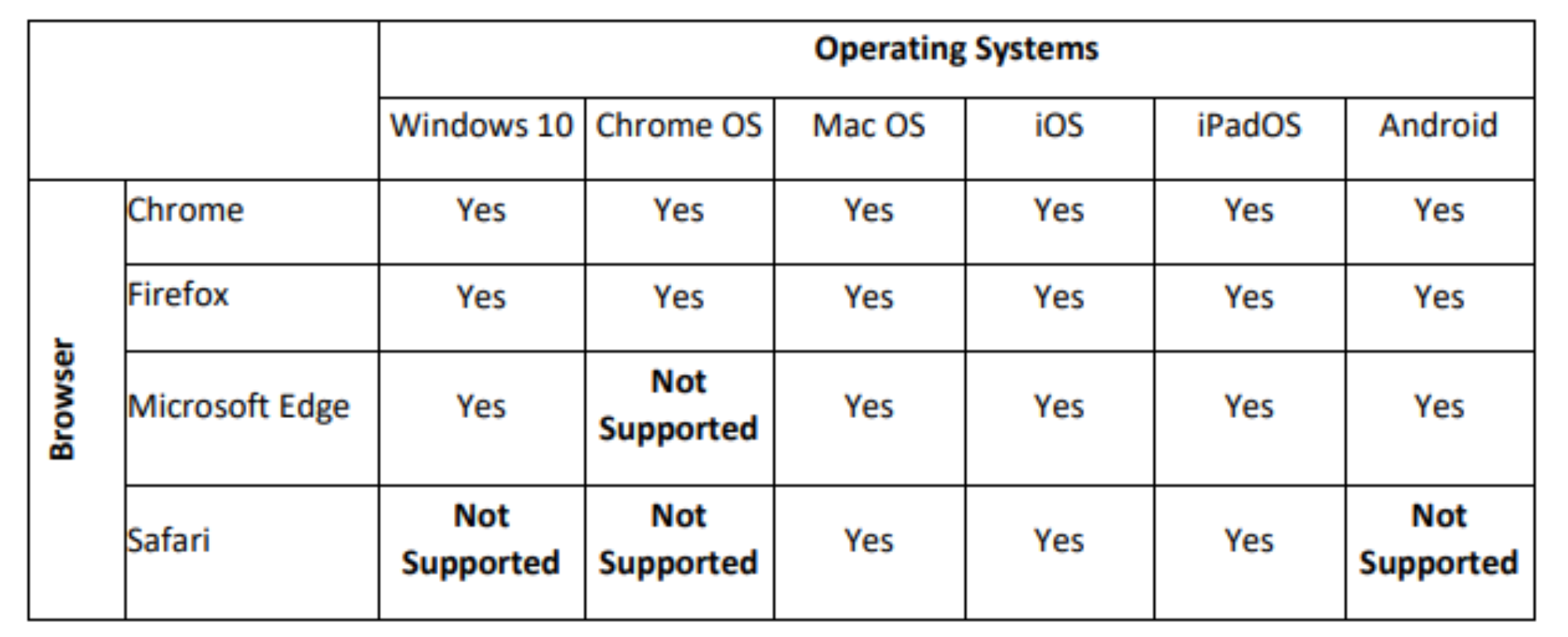
You can refer to the following table for guidance on the Operating System/browser which students can user to log in.